
Automation without the buzzwords: where small businesses actually save time
Practical automation is less about replacing people than about removing repeated low-value work. Where it pays off, where it does not, and when people should stay in the loop.
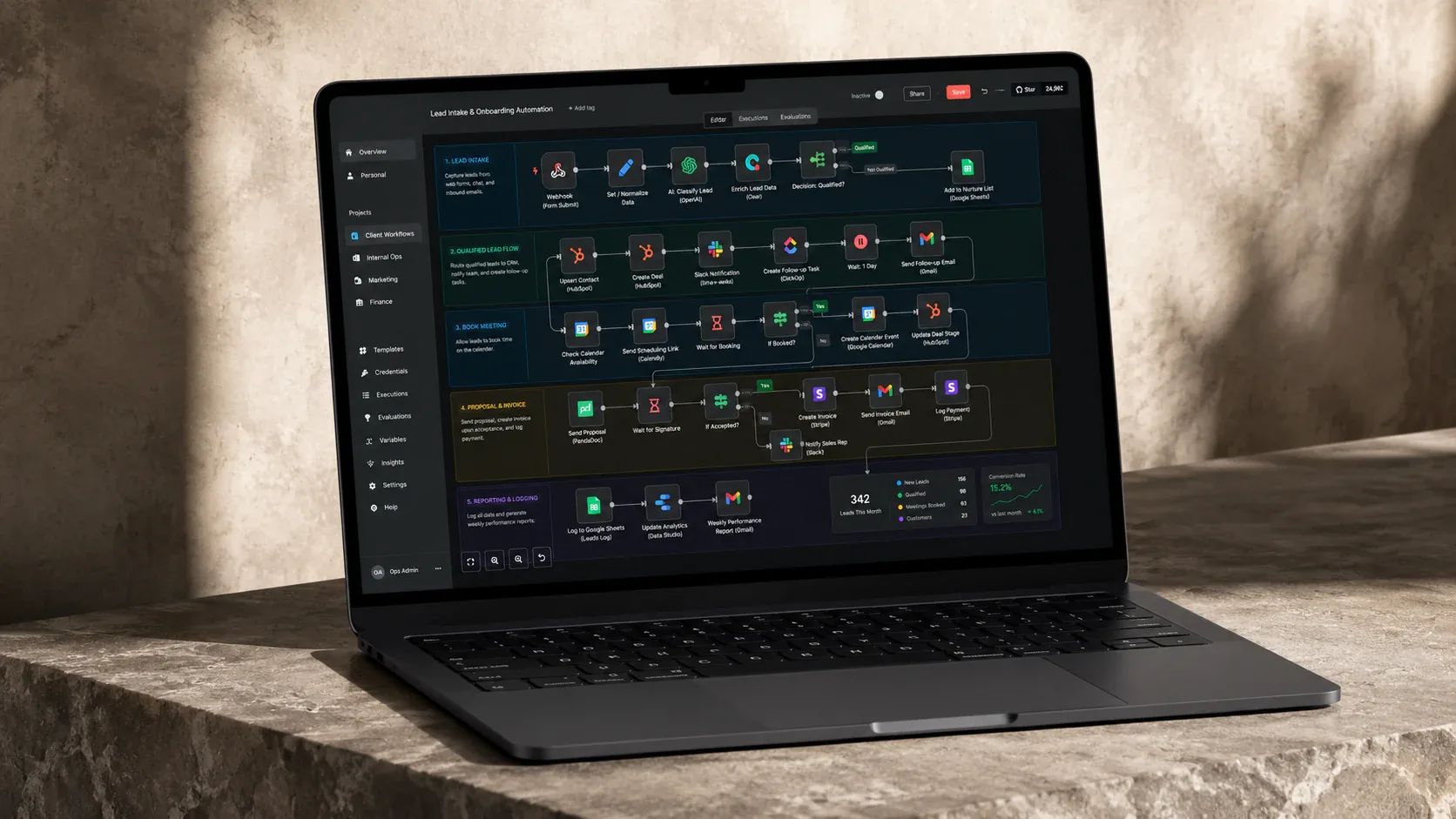
A company can become more digital without becoming much more efficient. A customer fills in a form, somebody copies the details into the CRM, someone else creates an invoice, a message goes into Teams so the right colleague knows, a spreadsheet is updated because that is still where the owner follows the work, and later somebody checks by hand whether the payment arrived. Every step uses software. The workflow is still powered by people moving information between systems.
That is where we usually start when a business asks about automation, and the first question is not where AI could be used. It is simpler: what are people doing repeatedly that the systems already know enough to handle? The OECD’s April 2026 survey of SMEs is a useful reality check. Across a non-representative sample of just over 2,000 firms in twelve OECD countries, 61% reported using at least one AI-enabled application, but 76% of those users were still classed as novices, applying simple tools to isolated tasks rather than integrating them into how the business runs. OECD, Empowering SMEs in the age of AI The sample recruits firms that already use digital platforms, so it likely flatters adoption. Even so, many small businesses have tried the tools while far fewer have changed a workflow.
Start with the work nobody wants to do twice
Imagine a service company receiving enquiries through its website. Without automation, somebody reads the form, finds or creates the customer in the CRM, decides who should handle it, sends an acknowledgement and creates a follow-up reminder. None of those actions is individually difficult, which is exactly why the cost stays invisible; it comes from doing them again and again while trying not to forget one. A useful first automation connects the form to the customer record, routes the enquiry by a small set of rules, acknowledges it clearly and creates the follow-up. The employee still handles the customer. The system removes the copying and remembering around the work.
This is often a better starting point than a complicated AI workflow because the outcome is clear and failure is easy to understand. We are not asking software to exercise judgement; we are removing a repeated transfer of information that a person was doing only because the systems were disconnected.
Not everything repetitive is worth automating
It is tempting to hear “repetitive” and conclude “automate it”, and that instinct can cost companies real money. Automation has a price even when the software is cheap. Somebody has to design the workflow, connect the systems, carry the API or licence costs, test it, monitor failures and update it when a vendor changes something upstream. If it touches customers or money, somebody also needs to decide what happens when it is wrong.
A task taking two minutes once a month may be irritating, but building and maintaining an automation for it can cost more than doing it by hand for years. A five-minute task performed two hundred times a month, especially one that regularly produces errors somebody else corrects, is a different proposition. We like to weigh frequency, time, error risk and business importance on the manual side against build cost, running cost, maintenance cost and consequence of failure on the automated side. It does not produce a magic number, but it brings the discussion back to value.
A related assumption is that a company needs a new platform before it can automate properly. Often it does not. A business may already run Microsoft 365, Fortnox or Xero, Shopify, Teams and one or two industry tools that each work well, with the frustration coming from employees carrying information between them. APIs, webhooks and integration platforms such as n8n, Make, Zapier or Power Automate can remove those handoffs without replacing the systems. At ARKARA, the more useful engineering question is usually why a person is moving this particular piece of information by hand. There are limits: chaining five poorly understood systems together produces something fragile that nobody wants to maintain, and if an old tool is causing problems far beyond integration, replacement may be cleaner. Replacement should solve a real problem rather than become the reflex answer to every disconnected workflow.
AI earns its place where fixed rules run out
Traditional automation is at its best when the rule is clear: if an invoice is seven days overdue, create a reminder. AI becomes useful when the input stops being predictable, because customers describe the same problem in many ways and a supplier document may never put the information in exactly the same place twice. Once AI can understand that messier input, the important question becomes how much authority it should have afterwards.
Reading a message and drafting a reply is one level of responsibility. Sending that reply unreviewed is another. Issuing a refund, changing a contract or making an employment decision is another level again. Some workflows genuinely should run unattended, such as updating a low-risk internal field or generating a standard report. Others work much better when automation prepares the work and a person makes the consequential decision. A support system can gather the customer’s history and draft a response while a person approves an unusual compensation offer; an invoice workflow can extract supplier, amount and due date but ask for review when something falls outside the normal pattern.
NIST’s AI Risk Management Framework treats human-AI configuration as a spectrum rather than a switch and emphasises that roles, responsibilities and oversight need to be defined deliberately. NIST AI RMF, AI Risk Management and Human-AI Interaction That is a healthier way to think about automation than treating a human approval step as something unfinished. It is a design choice about the cost of being wrong.
The saving is not only the minutes
When businesses calculate the value of automation, they often count the obvious time and miss the interruption. Five minutes spent copying information sounds trivial; the larger cost is stopping the work you were doing, opening another system, reconstructing what needs to happen, checking the transfer and then trying to get back to where you were. Microsoft’s 2025 Work Trend Index described a workforce sitting squarely in that gap: 53% of leaders said productivity had to increase, while 80% of workers reported not having the time or energy to do their job. Microsoft, The 2025 Annual Work Trend Index Good automation does not only make a five-minute process faster. It can remove a reason for somebody to stop what they were doing at all.
If we were starting with a small business, we would map one real workflow from the moment information enters the company to the point where the work is finished, then look for the handoffs, copying, reminders and simple decisions people perform because the systems do not. For each one, we would ask what it costs to leave the work manual, what it will cost to build and maintain the automation, what happens if it is wrong, and whether a person should approve the result before it becomes real. Those questions usually reveal whether the answer is a simple rule, an integration, an AI-assisted step, a fully automated workflow or no automation at all. The point is not to automate everything a person can do. It is to remove work that was never a good use of that person’s attention in the first place.